
AI resume builder from Huntr that tailors resumes to job posts, writes cover letters and tracks applications in one job-search workspace.
Freemium

AI writing assistant that fixes grammar, adjusts tone, rewrites sentences and drafts text in the apps and sites where you write.

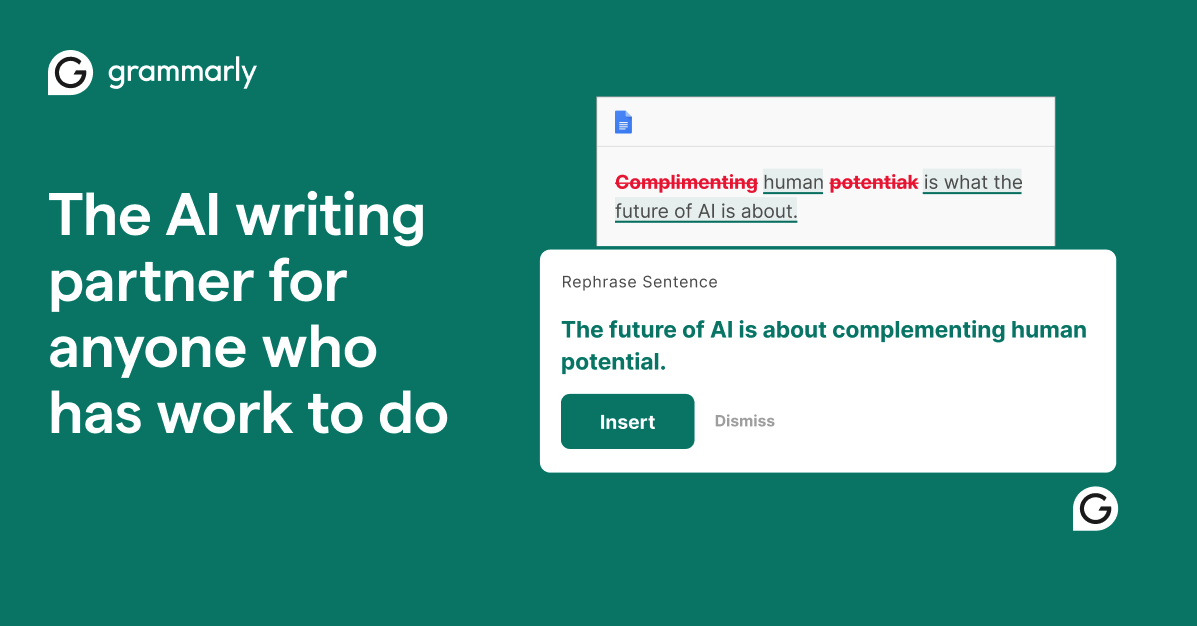
Grammarly is an AI writing assistant that checks what you type and suggests fixes as you go. It catches typos, punctuation and grammar errors, shows the tone of a message, and on paid plans rewrites full sentences, adjusts tone in a click and generates text from prompts. AI agents such as Paraphraser, Proofreader and Reader Reactions help at different stages, and Docs gives you a dedicated AI editor for longer writing. The service works across more than 1 million apps and websites, including Gmail, Outlook, Google Docs, Microsoft Word, Slack, Teams and LinkedIn, and supports writing help in more than 20 languages. Students, professionals and teams use it for emails, reports and brand-consistent communication. Team features include style guides, brand tones, snippets, Knowledge Share and analytics. Free costs $0 and includes 100 AI prompts a month, Pro is $12 with 2,000 prompts, and Enterprise is priced through sales.
Yes, Grammarly has a free plan. Paid plans start at $12 per month, according to the official pricing page on .
Free
$0
Pro
$12/month
USD
Enterprise
Custom
Plans as listed on the official pricing page on . Prices can change and may vary by country or exclude tax. Check the official pricing page.
The main Grammarly alternatives listed on Debuly are QuillBot, Wordtune, ParagraphAI, Compose AI, HyperWrite and Clever AI Humanizer. The table compares pricing and platforms; order is A–Z.
| Tool | Pricing | Starting price | Platforms |
|---|---|---|---|
| Grammarly | Freemium | $12/mo | Web, iOS, Android |
| Clever AI Humanizer | Free | — | Web |
| Compose AI | Freemium | — | Chrome extension |
| HyperWrite | Freemium | $16/mo | Web, Chrome extension |
| ParagraphAI | Freemium | $24.99/mo | AI keyboard, Chrome extension |
| QuillBot | Freemium | — | Web, Mobile app |
| Wordtune | Freemium | $4.89/mo | Web, Chrome extension, API |

Free web tool that rewrites AI-assisted drafts for more natural tone and sentence variety, plus a detector, paraphraser and grammar checker.

Free Chrome extension that autocompletes sentences and drafts emails and posts in the web apps where you already type.

AI writing assistant with sentence autocomplete, web research and citations, email replies, and a library of single-purpose writing tools.

AI writing assistant that drafts, fixes, replies to and rewrites text in 40+ languages from an app, keyboard and Chrome extension.

Writing assistant with a paraphraser, grammar checker, summarizer, AI detector and plagiarism checker for students and everyday writers.

Wordtune is an AI writing companion that rewrites sentences and paragraphs, suggests continuations and summarizes articles and PDFs.
Free is $0 and Pro is $12 in USD. Enterprise is available through contact sales. The Pro plan page offers a $0 trial today with an email reminder 2 days before the trial ends.
Yes. Free covers writing without mistakes, tone display and 100 AI prompts a month.
Free, Pro and Enterprise. Pro adds full-sentence rewrites, tone adjustment, plagiarism and AI text detection and 2,000 prompts per member per month. Enterprise adds unlimited prompts, dedicated support, BYOK encryption and data loss prevention.
Individuals who want cleaner writing and teams that need consistent, on-brand communication. Pro supports team accounts of up to 149 people.
Yes. It works across more than 1 million apps and sites, including Google Docs, Microsoft Word, Gmail, Outlook, Slack, Teams, Salesforce, LinkedIn and Zendesk.
Alternatives include ProWritingAid, LanguageTool, QuillBot, Wordtune and Microsoft Editor.
Facts on this page come from the official sources below, each with the date we read it. Written by Debuly; the vendor did not review this page.
| Source | Type | Accessed |
|---|---|---|
| grammarly.com/ | official | |
| grammarly.com/plans | pricing | |
| grammarly.com/pro | official | |
| grammarly.com/features | official |
Spot an error? Report an issue with this listing. We also remove a logo or image on the owner's request.
AI resume builder from Huntr that tailors resumes to job posts, writes cover letters and tracks applications in one job-search workspace.
Adaptive language-learning tools: an endless AI reader, a leveled content library and a YouTube phrase-saving extension.
AI resume builder with ATS-friendly templates, a cover letter generator and an ATS resume checker for job seekers.
AI resume roast and tailoring tool that critiques your CV at a spice level you choose and matches it to a job description.