
Web tool that turns an uploaded photo into an AI caricature, sold as one-time credit packs with no subscription.
Paid
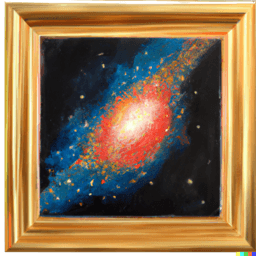
Free Mac app that packages Stable Diffusion for one-click, offline text-to-image generation on your own computer.
CHARL-E is a Mac app that wraps Stable Diffusion so you can make images from a text prompt without installing Python or using a command line. You download it, type what you want to see, and press enter. After the first install and weight download it can run fully offline, and the site says nothing is sent to its servers because everything runs locally. Settings are light: you can pick the DDIM or PLMS sampler, the number of images, the seed, the weights and the save folder, and a gallery mode keeps your past images in one place. There are two downloads, one with the model weights and a smaller one without, for which you point the app at your own weights directory. The project is open source on GitHub and made by Charlie Holtz. It is free, and Intel Mac support is described as still in progress.
CHARL-E is open source, so you can use and self-host it for free.
Prices can change and may vary by country or exclude tax. Check the official pricing page.
The main CHARL-E alternatives listed on Debuly are DiffusionBee, ComfyUI, Sogni AI, FOMI, Stable Diffusion web UI and VectorArt.ai. The table compares pricing and platforms; order is A–Z.
| Tool | Pricing | Starting price | Platforms |
|---|---|---|---|
| CHARL-E | Open source | — | macOS |
| ComfyUI | Open source | $16/mo | Web, Desktop, API |
| DiffusionBee | Free | — | macOS, Windows |
| FOMI | Freemium | — | Web |
| Sogni AI | Freemium | $20/mo | Web, iOS, Android, API |
| Stable Diffusion web UI | Open source | — | Windows, Linux, macOS, API |
| VectorArt.ai | Freemium | $29/mo | Web, API |

Node-based interface and backend for building diffusion workflows for images, video and 3D, run locally or on Comfy Cloud.

Free desktop app that runs Stable Diffusion on your own Mac or Windows PC for offline text-to-image and image editing.

AI image and video generation platform with styles, consistent characters and upscaling up to 4X.

Creative AI for images, video, music and LLMs on a decentralized GPU network, with fair-use Unlimited plans and pay-as-you-go Spark credits.
Free, open-source Gradio browser interface for running Stable Diffusion on your own machine, with img2img, inpainting, upscaling and training tools.

AI vector art generator that turns text or sketch prompts into scalable SVG logos, icons and illustrations.
The site lists no price and no plans. The app is free to download and is open source on GitHub.
Yes, once the initial install and weight download are done. The site says nothing is sent to its servers.
A smaller download without the model weights. You add your own weights directory in the options menu.
The author says Intel Mac compatibility is being worked on, with a newsletter signup for when it is ready.
Yes. The site says everything is open source on GitHub.
Other local Stable Diffusion front ends include DiffusionBee, Draw Things, ComfyUI and InvokeAI.
Facts on this page come from the official sources below, each with the date we read it. Written by Debuly; the vendor did not review this page.
| Source | Type | Accessed |
|---|---|---|
| charl-e.com/ | official |
Spot an error? Report an issue with this listing. We also remove a logo or image on the owner's request.
Web tool that turns an uploaded photo into an AI caricature, sold as one-time credit packs with no subscription.
Node-based interface and backend for building diffusion workflows for images, video and 3D, run locally or on Comfy Cloud.
Online AI image upscaler that enlarges photos, anime art and product pictures 2x or 4x, with a creative Reimagine mode and paid batch processing.
Browser-based AI toolset for enhancing video, generating and editing images, making AI photos, with one credit balance and an API.