AI app that adds automatic subtitles to videos, translates them and offers basic editing, with SRT export.

Descript
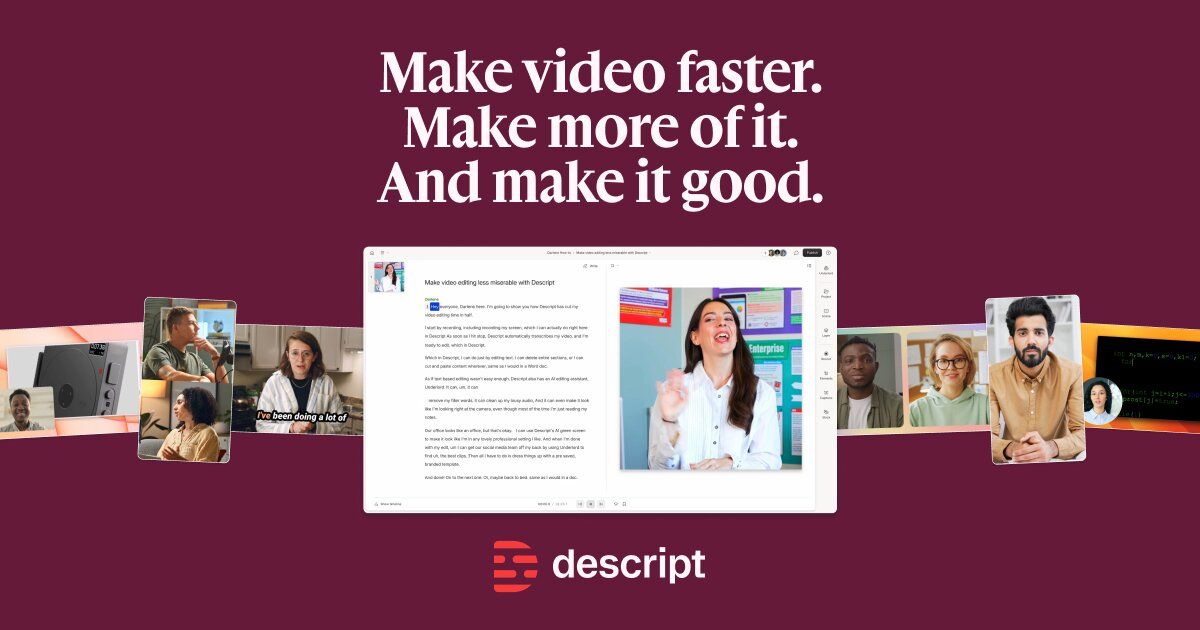
Video and podcast editor where you cut footage by editing its transcript, with AI for audio cleanup, clips, dubbing and avatars.

What is Descript?
Descript is an editor for video and audio that transcribes your recording and lets you change the media by editing the text. Deleting a word removes that moment from the timeline. On top of that it adds an AI co-editor called Underlord, tools such as Studio Sound, Remove Filler Words, Eye Contact, Green Screen and Automatic Multicam, and AI Speech with voice clones. Higher plans add generated video, avatars, Brand Studio templates, and translation and dubbing into 30+ languages. It also records screens and remote guests in Rooms. Usage is metered in two pools, media minutes and AI credits, both shared by the Editor seats on a drive and reset each billing cycle. Plans are Free, Hobbyist at $16 per person per month billed annually, Creator at $24 and Business at $50, with monthly billing at $24, $35 and $65, plus a custom Enterprise plan.
Use cases
- Edit podcasts by editing the transcript
- Remove filler words and retakes
- Cut social clips from long recordings
- Record remote interviews in Rooms
- Translate and dub videos
- Clone a voice for text-to-speech narration
- Generate captions and show notes
Who it's for
Why use Descript
- Editing by transcript makes cutting spoken content as fast as editing a document.
- AI credits form one flexible pool, so you can spend them on whichever AI tools you use most.
- Recording, editing, captioning and dubbing happen in one app instead of several.
- The Free plan lets you try text-based editing before choosing a paid tier.
- Business and Enterprise plans add shared brand templates, SSO and audit logs for teams.
Descript features
- Text-based editing of video and audio
- Transcription in 25 languages
- Underlord AI video co-editor
- Studio Sound audio enhancement
- Remove Filler Words and Shorten Word Gaps
- Eye Contact and Green Screen effects
- AI Speech with custom voice clones
- Translate captions into 61 languages
- Translate and dub video in 30 languages
- Remote recording Rooms with screen recording
- Brand Studio shared templates
- Generate images and video with AI models
Descript integrations
How to get started with Descript
- Create a project and upload a recording, or record in the editor or a Rooms session.
- Descript transcribes the media so you can edit by changing the text.
- Run Remove Filler Words, Studio Sound or Edit for Clarity, or ask Underlord to make the edit.
- Add captions, clips, translations or AI voices from the plan's AI credit pool.
- Export the video or audio; resolution and watermark rules depend on your plan.
Descript limitations
- Free plan includes 60 media minutes a month and 100 one-time AI credits
- Unused media minutes and AI credits do not roll over
- Only Editor seats can spend media minutes and AI credits
- Top-ups for extra minutes and credits are limited to Creator and Business plans
Descript pricing
Yes, Descript has a free plan. Paid plans start at $16 per month, according to the official pricing page on .
Descript plans
Free
$0
- 60 media minutes per month
- 100 AI credits (one-time)
- Text-based editing
Hobbyist
$16/month
per person, billed annually ($24 monthly)
- 10 media hours per month
- 400 AI credits per month
- 1080p watermark-free export
- Underlord AI co-editor
- AI Speech with custom voice clones
Creator
$24/month
per person, billed annually ($35 monthly)
- 30 media hours per month
- 800 AI credits per month
- 4k watermark-free export
- 20+ AI tools
- Unlimited stock media library
- Top ups available
Business
$50/month
per person, billed annually ($65 monthly)
- 40 media hours per month
- 1500 AI credits per month
- Brand Studio
- Translate and dub in 30+ languages
- Custom avatars
- Priority support with SLA
Enterprise
Custom
- Credits and hours sized to your team
- SOC 2 Type II, SSO, SCIM and audit logs
- Custom retention and training opt-out
- Dedicated CSM and onboarding
Plans as listed on the official pricing page on . Prices can change and may vary by country or exclude tax. Check the official pricing page.
Descript alternatives
The main Descript alternatives listed on Debuly are Riverside, Kapwing, CapCut, VEED, Wisecut and Recast Studio. The table compares pricing and platforms; order is A–Z.
| Tool | Pricing | Starting price | Platforms |
|---|---|---|---|
| Descript | Freemium | $16/mo | Web |
| CapCut | Freemium | — | Web, Desktop, Mobile app |
| Kapwing | Freemium | $16/mo | Web |
| Recast Studio | Free trial | $14/mo | Web |
| Riverside | Freemium | $24/mo | Web |
| VEED | Freemium | — | Web, iOS, Android |
| Wisecut | Freemium | $33/mo | Web, API |

CapCut
Video and photo editor for web, desktop and mobile with templates, AI tools and a free tier plus Pro and Ultra plans.
FreemiumVisit CapCut (official site)
Kapwing
Browser-based video editor with auto subtitles, dubbing, Smart Cut and team workspaces, plus a free plan and per-member paid plans.
FreemiumVisit Kapwing (official site)
Recast Studio
AI video editor for marketing teams that cuts webinars and podcasts into social clips and writes posts, show notes and blogs.
Free trialVisit Recast Studio (official site)
Riverside
Browser studio for recording podcasts and video interviews in separate local tracks, with text-based editing, AI clips and live streaming.
FreemiumVisit Riverside (official site)
VEED
Browser-based AI video platform for generating, branding, subtitling and exporting social videos.
FreemiumVisit VEED (official site)
Wisecut
AI video editor that cuts long videos into captioned, reframed clips, takes plain-text edit requests and schedules posts to social channels.
FreemiumVisit Wisecut (official site)
Descript FAQ
How much does Descript cost?
Descript offers Free at $0, Hobbyist at $16 per person per month billed annually ($24 monthly), Creator at $24 annually ($35 monthly), and Business at $50 annually ($65 monthly). Enterprise pricing is custom.
Is there a free plan for Descript?
Yes. The Free plan includes 60 media minutes per month and 100 AI credits as a one-time amount, with text-based editing and a chance to try the AI tools.
What plans does Descript have?
Free, Hobbyist, Creator, Business and Enterprise. Hobbyist includes 10 media hours and 400 AI credits per month, Creator 30 hours and 800 credits, and Business 40 hours and 1500 credits.
What are media minutes and AI credits?
Media minutes are used when you upload or record media. AI credits are spent on AI features such as Underlord, Studio Sound, Eye Contact, AI Speech, avatars and generated video. Both reset every billing cycle.
Can Descript translate and dub videos?
Yes. The pricing page lists caption translation in 61 languages and audio dubbing in 30 languages, with Business listing translate and dub with proofread.
What are alternatives to Descript?
Riverside, Kapwing, CapCut, VEED and Adobe Premiere Pro are common alternatives for video and podcast editing.
Sources & verification
Facts on this page come from the official sources below, each with the date we read it. Written by Debuly; the vendor did not review this page.
Image credits
- Logo: from static-cdn.descript.com · fetched · Vendor trademark, used only to identify the product; removed on request
- Cover: from cdn.sanity.io · fetched · Vendor marketing image from the official site; removed on request
Spot an error? Report an issue with this listing. We also remove a logo or image on the owner's request.
More in Video 4
All video toolsAI video app for creating, editing and translating talking-head videos, with captions, AI actors, clips and generative B-roll.
FreemiumTurns an idea or link into a talking-avatar short video with subtitles and b-roll, using an AI twin of you.
AI video platform that turns product photos and text into ad videos, UGC-style clips and avatar presenters in many languages.
Freemium